> For the complete documentation index, see [llms.txt](https://help.adalo.com/llms.txt). Markdown versions of documentation pages are available by appending `.md` to page URLs; this page is available as [Markdown](https://help.adalo.com/ja/feature-templates/agree-and-sign/agree-and-sign-modal-screen.md).
# 同意&署名モーダル画面
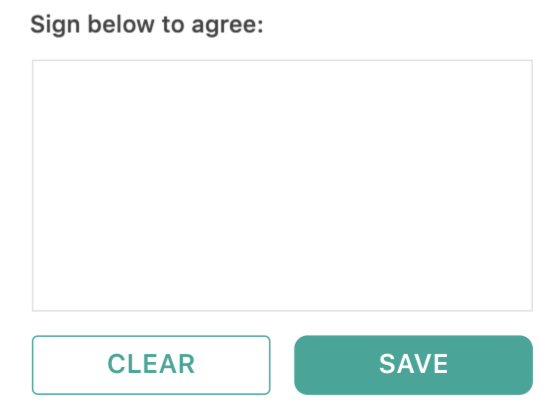
このモーダル画面は、ユーザーが指やマウスで署名し、その署名をデータベースに保存できるポップアップです。
この画面は、ユーザーが前の画面で概説された利用規約に同意するために署名できるようにするポップアップのような役割を果たします。署名は、タッチスクリーンデバイス上で指やスタイラスでキャプチャしたり、デスクトップやラップトップ上でマウスやトラックパッドで入力することができます。
署名は画像URLとして保存され、画像コンポーネントを介して表示できます。
## コンポーネント
### **署名パッド**
署名パッドは、ユーザーが署名するための組み込み方法であり、2つのボタンが付属しています。
⚡ **署名パッドのアクション**
* クリアボタン
* 入力された署名を消去します。
* 保存ボタン
* 署名を作成します
* 'おめでとう'画面へのリンクアクション
---
# Agent Instructions
This documentation is published with GitBook. GitBook is the documentation platform designed so that both humans and AI agents can read, navigate, and reason over technical content effectively. Learn more at gitbook.com.
## Querying This Documentation
If you need additional information that is not directly available in this page, you can query the documentation by asking a question.
Perform an HTTP GET request on the following URL with the `ask` and `goal` query parameters:
```
GET https://help.adalo.com/ja/feature-templates/agree-and-sign/agree-and-sign-modal-screen.md?ask=&goal=
```
`ask` is the immediate question: it should be specific, self-contained, and written in natural language.
`goal` is what the user is ultimately trying to achieve, the reason they need the answer. Sharing it helps GitBook give you a better, more relevant answer. A goal is most helpful when it describes the outcome the user wants rather than restating the question. For example, with `ask=how do I create an API token`, a goal like `automate deployments from our CI pipeline` lets GitBook tailor the answer to that use case.
The response will contain a direct answer to the question and relevant excerpts and sources from the documentation.
Use this mechanism when the answer is not explicitly present in the current page, you need clarification or additional context, or you want to retrieve related documentation sections.