# Admin Create Clinic & Admin Edit Clinic Screen

Both the ‘Admin Create Clinic’ Screen and the ‘Admin Edit Clinic’ Screen are for administrators to either create classes or to edit classes that have already been created.

These screens allow users to manage data in the app without logging into Adalo. This is perfect for businesses who have several employees, but not all employees need access to the Adalo Builder.

## The Components

### **Form Component**

<figure><img src="https://3467607506-files.gitbook.io/~/files/v0/b/gitbook-x-prod.appspot.com/o/spaces%2F-LhGHkPsv15svPIU5I7C%2Fuploads%2FSQ3tR7vbjNY9H34TKP17%2Fadmincreateeditform.png?alt=media&#x26;token=3ced2dec-8321-4e2f-829f-5ae44a8523d5" alt="" width="350"><figcaption></figcaption></figure>

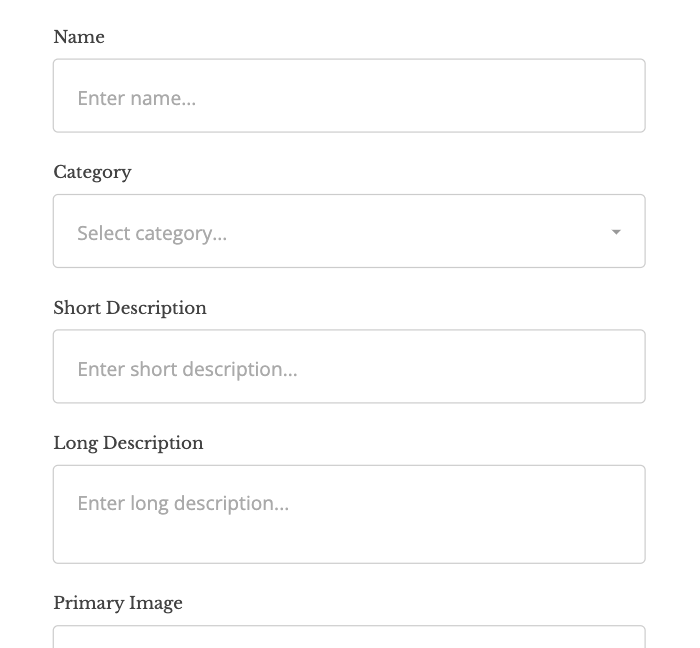
The predominate component on these two screens in the form component. The form component pulls the input fields from the Collection that it references.

On these two screens, the data collection is the ‘Classes’ collection.

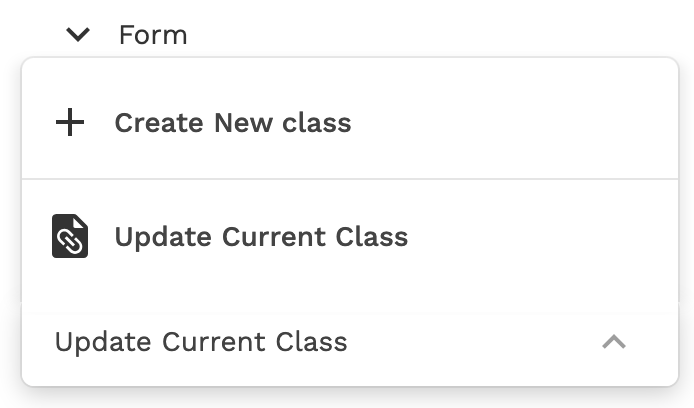
For each form, you have the option to:

<figure><img src="https://3467607506-files.gitbook.io/~/files/v0/b/gitbook-x-prod.appspot.com/o/spaces%2F-LhGHkPsv15svPIU5I7C%2Fuploads%2FrDCI0WrSA3SIU3ihCKta%2Fformooptions.png?alt=media&#x26;token=c2b93c63-3bcc-4d07-aa03-64ef320923b1" alt="" width="347"><figcaption></figcaption></figure>

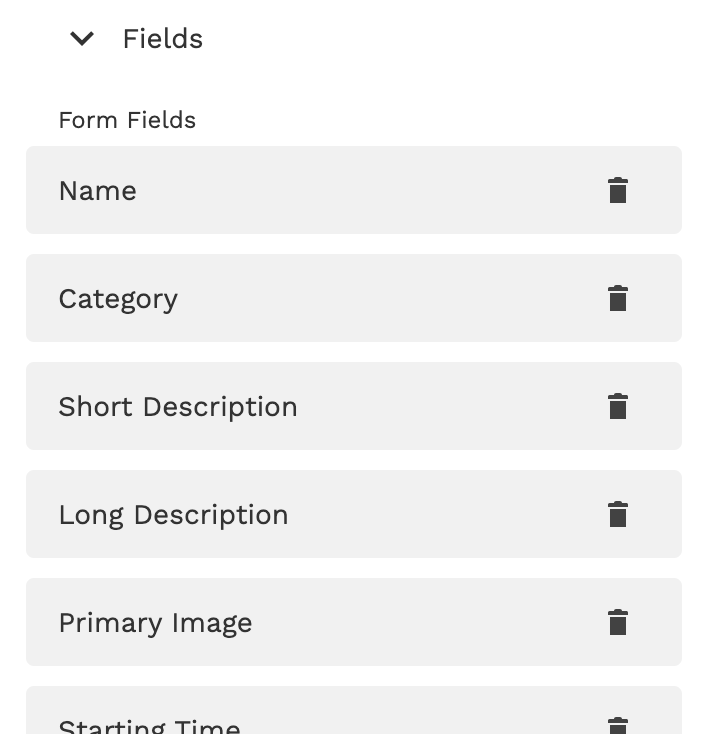
Additionally, you can control which fields are present to create or update:

<figure><img src="https://3467607506-files.gitbook.io/~/files/v0/b/gitbook-x-prod.appspot.com/o/spaces%2F-LhGHkPsv15svPIU5I7C%2Fuploads%2FozfK05Mt5YqQFuAEQbTH%2Fvisiblefields.png?alt=media&#x26;token=6bb45ea9-8e8e-4f5a-b6c8-c703882b5beb" alt="" width="351"><figcaption></figcaption></figure>

⚡ **Form Actions**

Each form has a Create or Update Action on the Submit button and a Link Action to the previous screen.

### **Icon Component**

<figure><img src="https://3467607506-files.gitbook.io/~/files/v0/b/gitbook-x-prod.appspot.com/o/spaces%2F-LhGHkPsv15svPIU5I7C%2Fuploads%2FG0Rlb101L2SqvBcQI4AJ%2Fcreateediticon.png?alt=media&#x26;token=0a74b545-d8f5-4030-b802-d2b422113edf" alt=""><figcaption></figcaption></figure>

Each screen has an icon component to exit the screen without creating a new class or editing information.

⚡ **Icon Action**

A Link Action to the previous page.