# Search Messages Screen & Channels Screen
The Search Messages Screen and the Channels Screen contain two main components that control all the functionality.
## The Components
### **Input Fields**
Each screen contains an input field that will begin to filter the list as soon as a user starts to type into it.
### **List Component**
Each list contains information regarding either Messages or the available Channels. Each list is filtered by the text that appears in their connected “Inputs” on the screen.
⚡ **Actions**
The Channel Screen:
* On each list item
* ⚡ Update Logged In User > Active Channel > Channel ID. This will ensure the User sees the channel they clicked on when they return to the Messages Screen
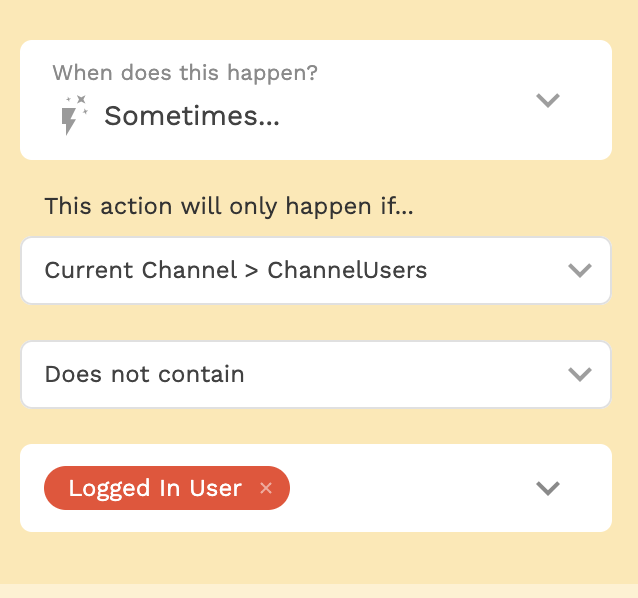
* ⚡ Update Logged In User > Channels > Add Current Channel *but only when* the “Current Channel > ChannelUsers” does not contain the Logged In User.
* ⚡ Link Action to the ‘Messaging’ Screen
{% hint style="danger" %}
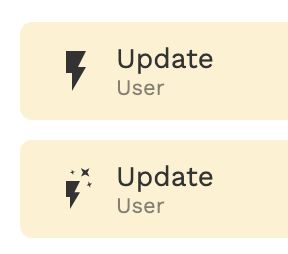
Similar to visibility rules for components, there are conditional actions. To denote whether or not something has a conditional action — you will notice ✨ on the icon.
If you make edits to these actions, check for conditional logic that may be applied:
This can be found under “ADVANCED” in the settings of an action.
{% endhint %}

 If you make edits to these actions, check for conditional logic that may be applied:
 This can be found under “ADVANCED” in the settings of an action.
{% endhint %}
This can be found under “ADVANCED” in the settings of an action.
{% endhint %}